

Dashboard
The NativeDev dashboard provides a quick overview of your development environment.
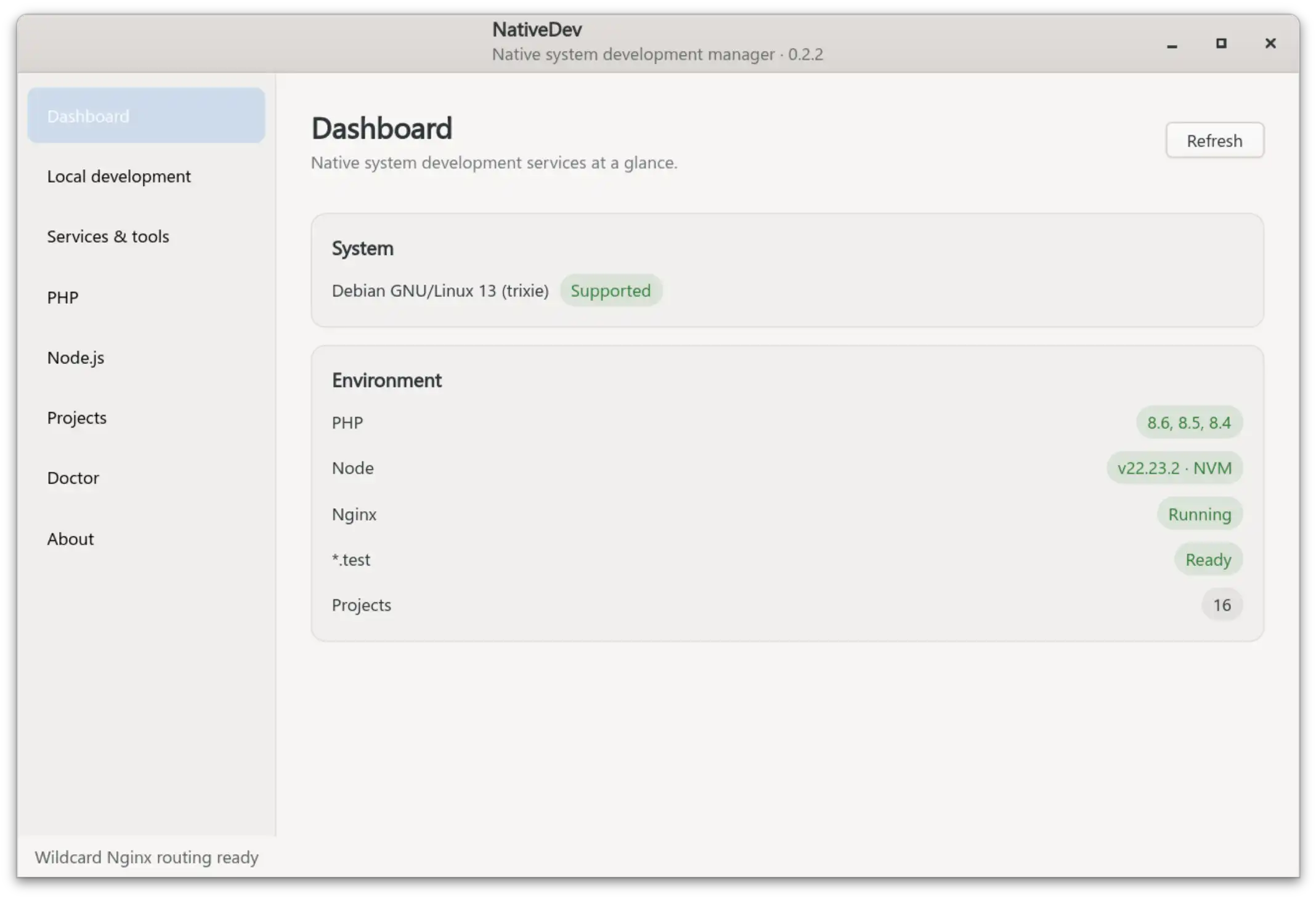
From the dashboard you can quickly access:
- PHP environment status
- Installed services
- Local development tools
- Projects
- System checks
Conflict Detection
NativeDev detects common system conflicts that can prevent local development services from working correctly.
The dashboard checks for services listening on required development ports, such as HTTP (80) and HTTPS (443), before enabling or starting managed services.
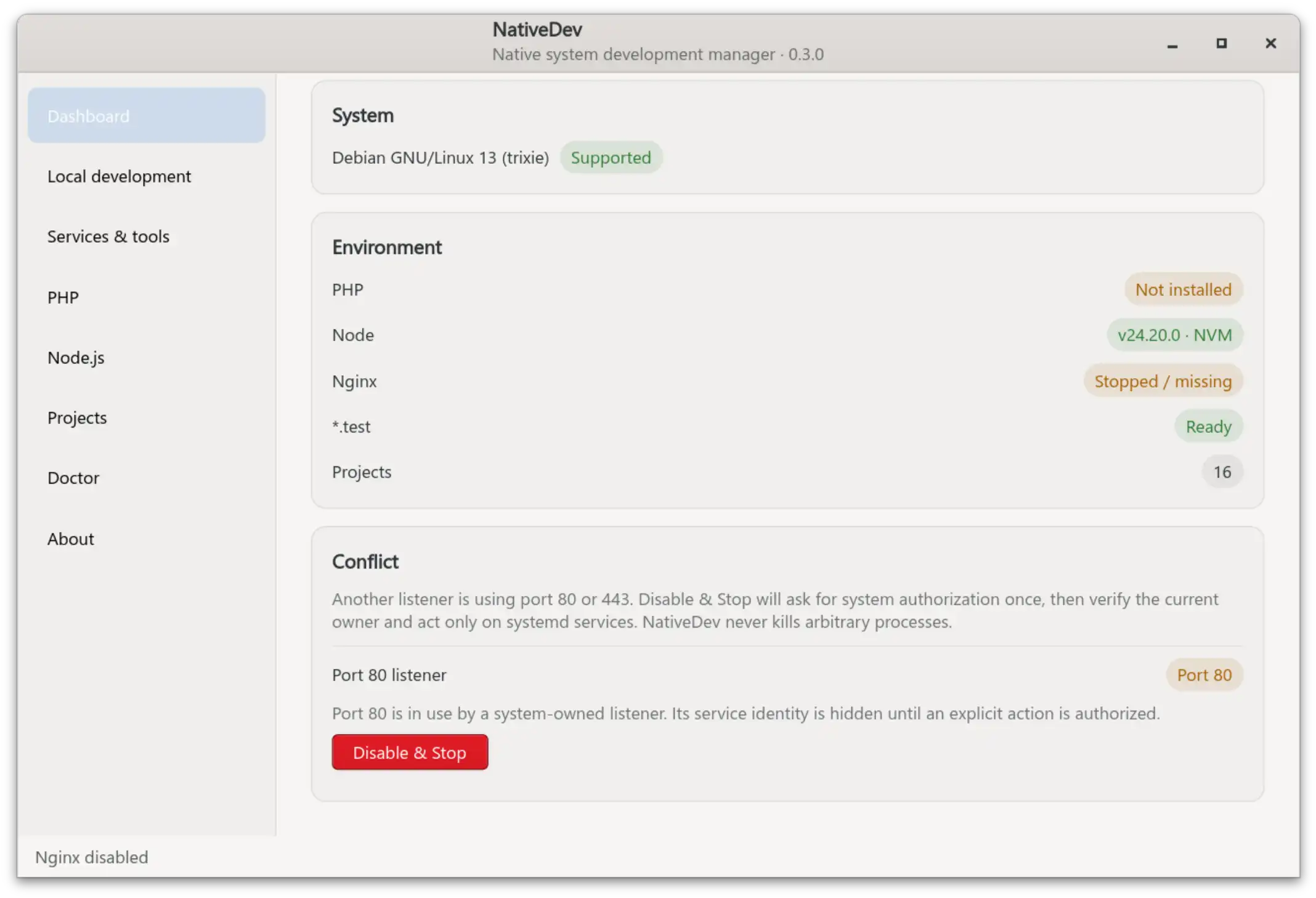
Port Conflict Detection
NativeDev monitors important development ports:
- Port 80 — HTTP web traffic
- Port 443 — HTTPS web traffic
If another service is already using these ports, NativeDev identifies the conflict and shows the affected listener.
Safe Conflict Resolution
When a conflict is detected, NativeDev does not kill arbitrary processes.
Instead:
- NativeDev identifies the current listener.
- Checks whether it is managed by systemd.
- Requests system authorization only when an action is required.
- Allows you to disable and stop the conflicting service.
Why this approach
NativeDev works with your existing Linux system. It avoids forcefully terminating unknown processes and only performs controlled actions on recognized system services.
This keeps your development environment predictable and prevents unexpected system changes.