

PHP Management
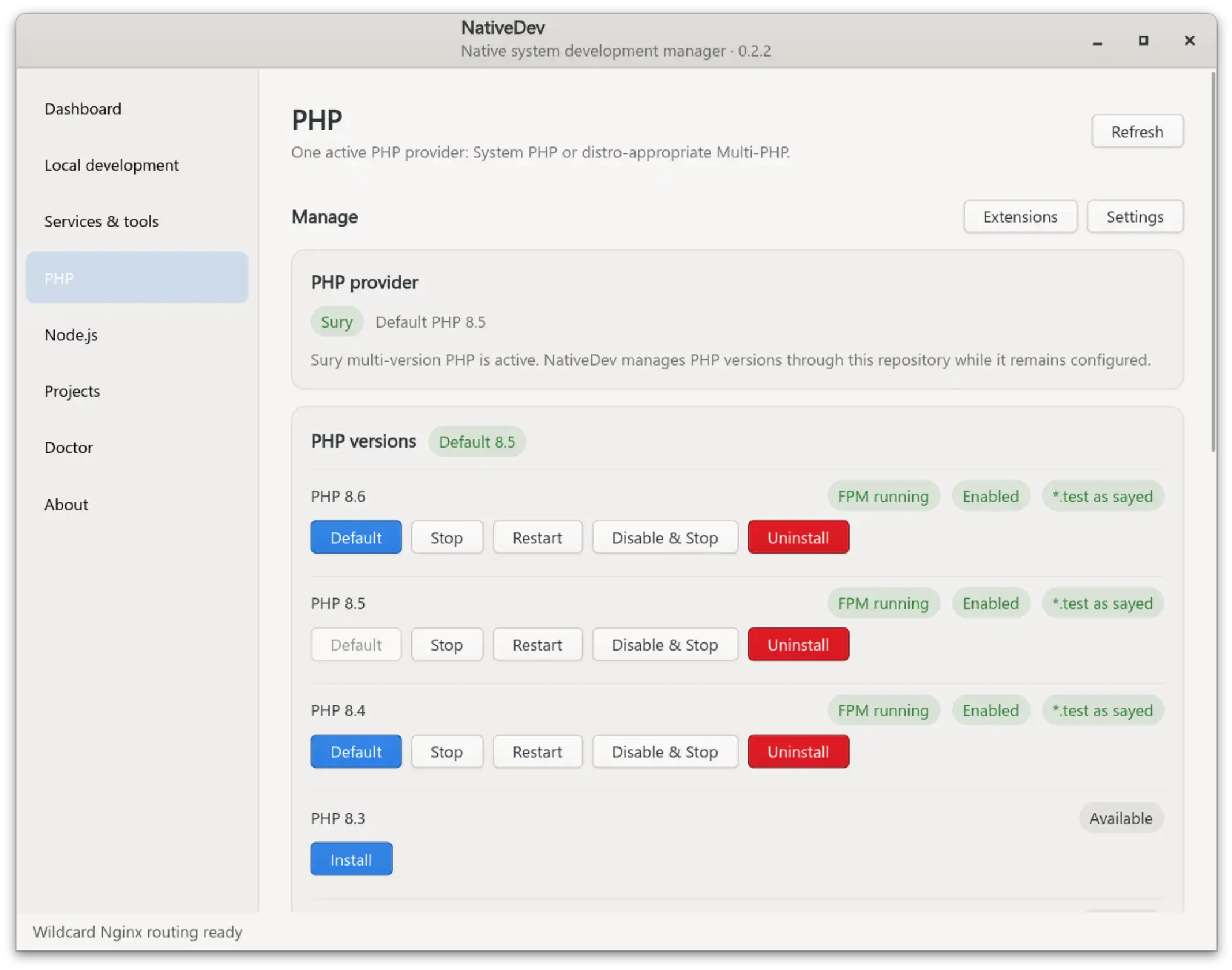
NativeDev manages PHP through two mutually exclusive models. It starts by detecting whatever is already on your system and never changes the PHP provider on its own.
System PHP vs. Multi-PHP
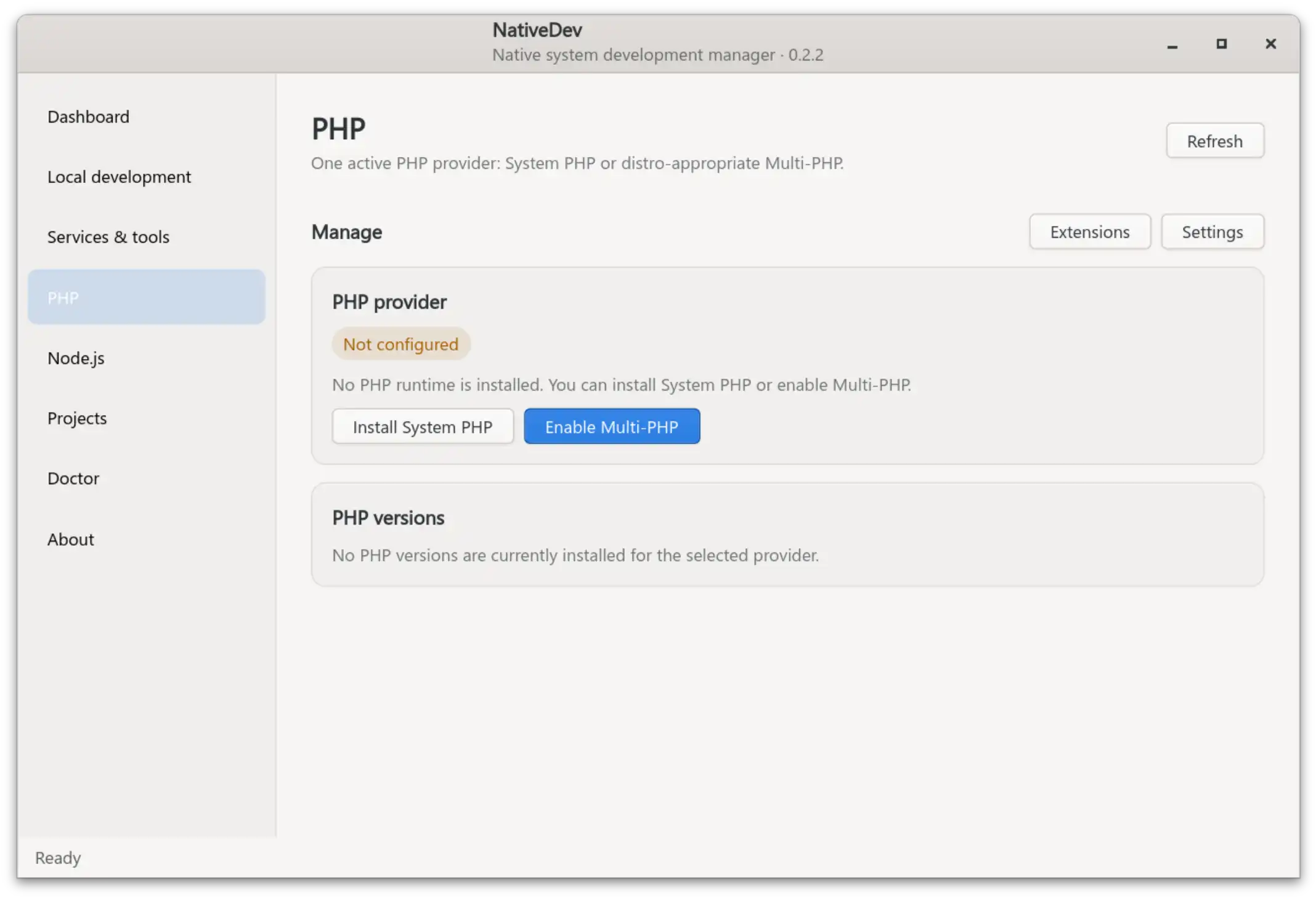
- System PHP — NativeDev detects and uses your distribution's existing PHP-FPM installation for NativeDev project sites through a separate per-user pool, without touching the distro's own
wwwpool or repository configuration. - Multi-PHP — an explicit, one-way Enable Multi-PHP migration for anyone who wants several PHP versions installed side by side. Once the distro-appropriate Multi-PHP repository is active, NativeDev stops offering System PHP as a second provider. The migration moves existing System PHP package names to the equivalent Multi-PHP candidates in place, rather than uninstalling first — this avoids unnecessarily removing reverse dependents such as Composer.
Multi-PHP repository sources are chosen per distribution family:
| Family | Repository |
|---|---|
| Debian | packages.sury.org/php, added and keyed by NativeDev itself (DEB822 format) |
| Ubuntu and derivatives | ppa:ondrej/php, added through software-properties; derivatives are mapped to their parent Ubuntu suite via UBUNTU_CODENAME |
Installing and removing versions
- Installing a version installs its CLI/FPM packages plus a Laravel/Symfony-friendly extension baseline:
bcmath,curl,gd,intl,mbstring, MySQL/PostgreSQL/SQLite drivers,xml,zip, and more. - PHP versions before 8.5 also install/enable a separate OPcache package; PHP 8.5+ does not need one.
- Each installed version can be started/stopped/restarted and enabled/disabled independently through systemd.
- Uninstalling a version removes it together with every currently installed
phpX.Y/phpX.Y-*package for that version. Before removing anything, NativeDev simulates the removal (apt-get -s remove) and checks whether APT would also remove a manually installed package that is not part of the PHP version itself (for example phpMyAdmin or Adminer). If it would, and no other installed PHP version already satisfies that dependency, the uninstall is blocked with a message naming the affected package(s) rather than silently removing them as a side effect of removing PHP. - The default
/usr/bin/phpis selected withupdate-alternatives.
PHP-FPM pools
NativeDev creates its own per-user PHP-FPM pool for each version used by Local Development routing. The same selected pool serves both project.<TLD> HTTP and project.secure.<TLD> HTTPS for a project. Pool workers run as the logged-in developer, not as www-data, so file ownership matches what you'd expect from editing project files directly. The distribution/Multi-PHP www pool is never modified.
Extensions
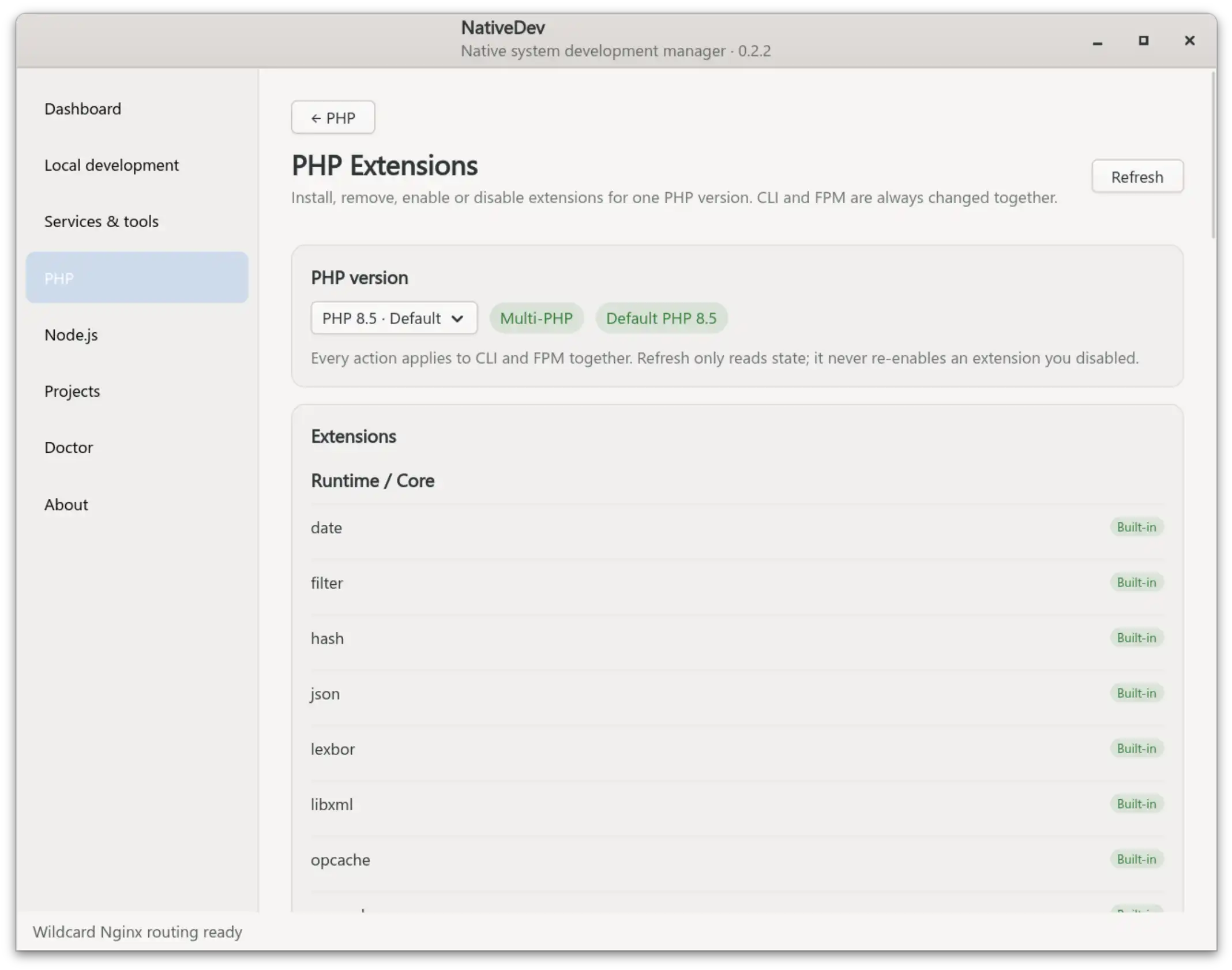
The PHP Extensions page has its own installed-PHP version selector (the current CLI default is preselected and explicitly marked) and always applies Install/Uninstall/Enable/Disable to CLI and FPM together — there is no separate control per SAPI.
- Runtime/core modules that ship with PHP itself (JSON, OpenSSL, PDO, php-common modules, etc.) are listed read-only as Built-in — there is nothing to install or uninstall for them.
- The curated catalog covers common database/utility packages plus APCu, BZip2, DBA, Enchant, GMP, IMAP, LDAP, ODBC, Pspell, SNMP, SOAP, Tidy, Redis, Memcached, Imagick, AMQP, MongoDB, SSH2, SMB Client, YAML, Igbinary, MessagePack, PCOV, and Xdebug. Packages unavailable for the selected version/distro are shown but cannot be installed.
- Package presence and enabled state are tracked separately: an installed-but-disabled extension stays installed until you explicitly uninstall it, and a normal refresh never re-enables something you disabled. Only Built-in and Unavailable rows show a status pill; ordinary rows use their action buttons as the state cue.
- Alpha/beta/RC/dev PHP runtimes are detected from the runtime itself and marked Pre-release.
- Uninstalling an extension runs the same APT removal simulation described above and blocks if a manually installed package would be swept along with it. PHP configuration for that extension is not purged on uninstall.
Per-version settings
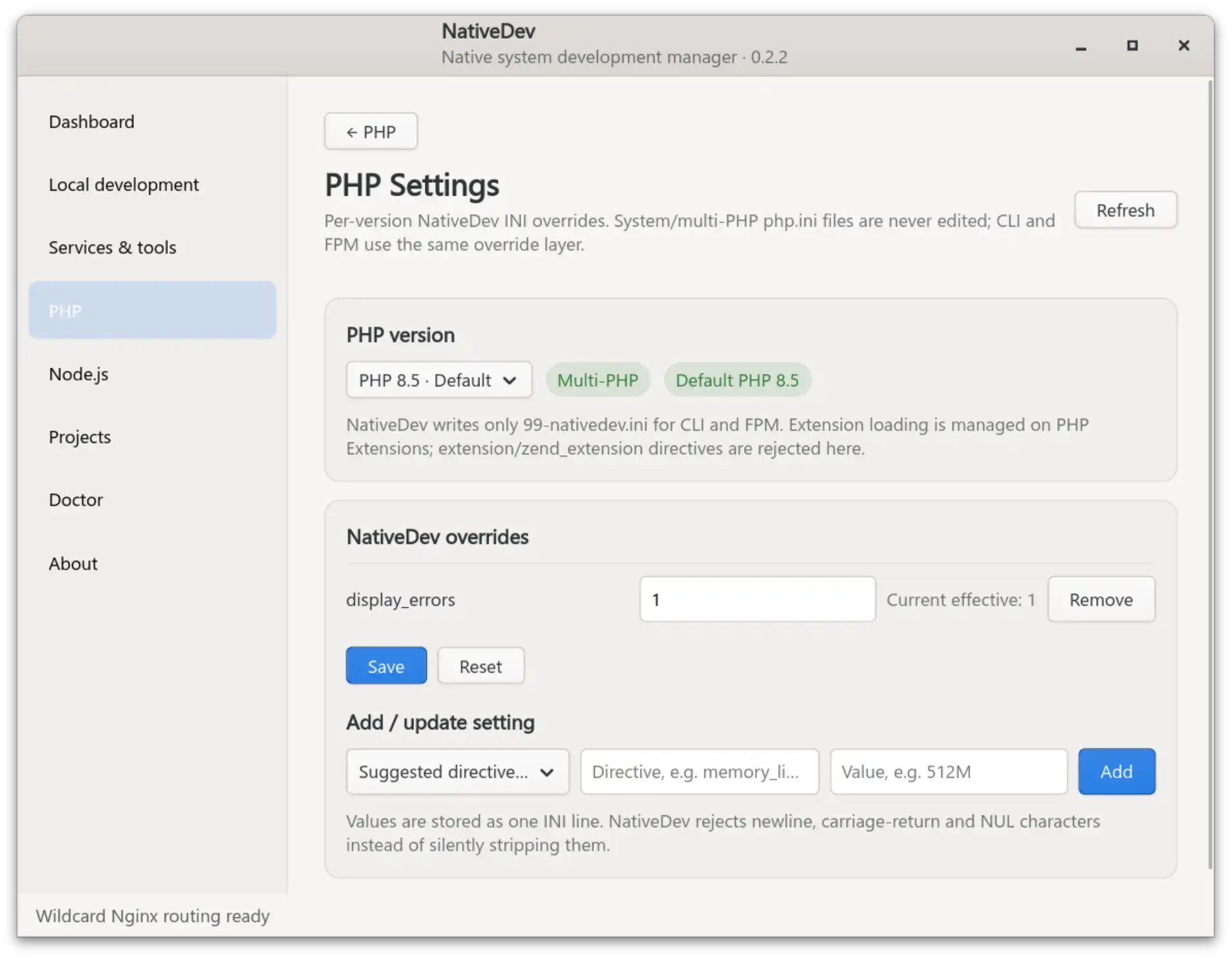
The PHP Settings page manages custom configuration per PHP version without ever editing the System/Multi-PHP php.ini files directly. NativeDev owns exactly two files per version:
/etc/php/X.Y/mods-available/nativedev.ini
/etc/php/X.Y/{cli,fpm}/conf.d/99-nativedev.ini
Because both SAPIs load the same override file, CLI and FPM always see identical values for anything NativeDev manages.
- Directive names are validated with
^[a-zA-Z][a-zA-Z0-9_.]*$at both the GUI and the privileged-helper boundary. Values containing a newline, carriage return, or NUL byte are rejected outright rather than stripped — this prevents one value from smuggling in a second, unintended directive. extension,zend_extension, andextension_dirare rejected here on purpose — extension loading stays on the PHP Extensions page, so there is exactly one place that turns a module on or off.- Apply/reset validates PHP for both CLI and FPM, reloads FPM only if it is already running, and rolls back the NativeDev-owned files if validation or reload fails — a bad value never leaves PHP in a broken state.
- Each applied profile is saved to
~/.config/nativedev/php/X.Y.json(mode0600). Uninstalling that PHP version removes the active/etc/php/X.YNativeDev layer but keeps the saved profile on disk, so reinstalling the same version offers an explicit restore instead of forcing you to redo the configuration.
Related pages
- Local development — how a project picks which PHP-FPM version serves it
- Developer tools — how phpMyAdmin/Adminer are bound to a PHP-FPM version
- Security model — how the privileged helper validates PHP-related requests