

Developer Tools
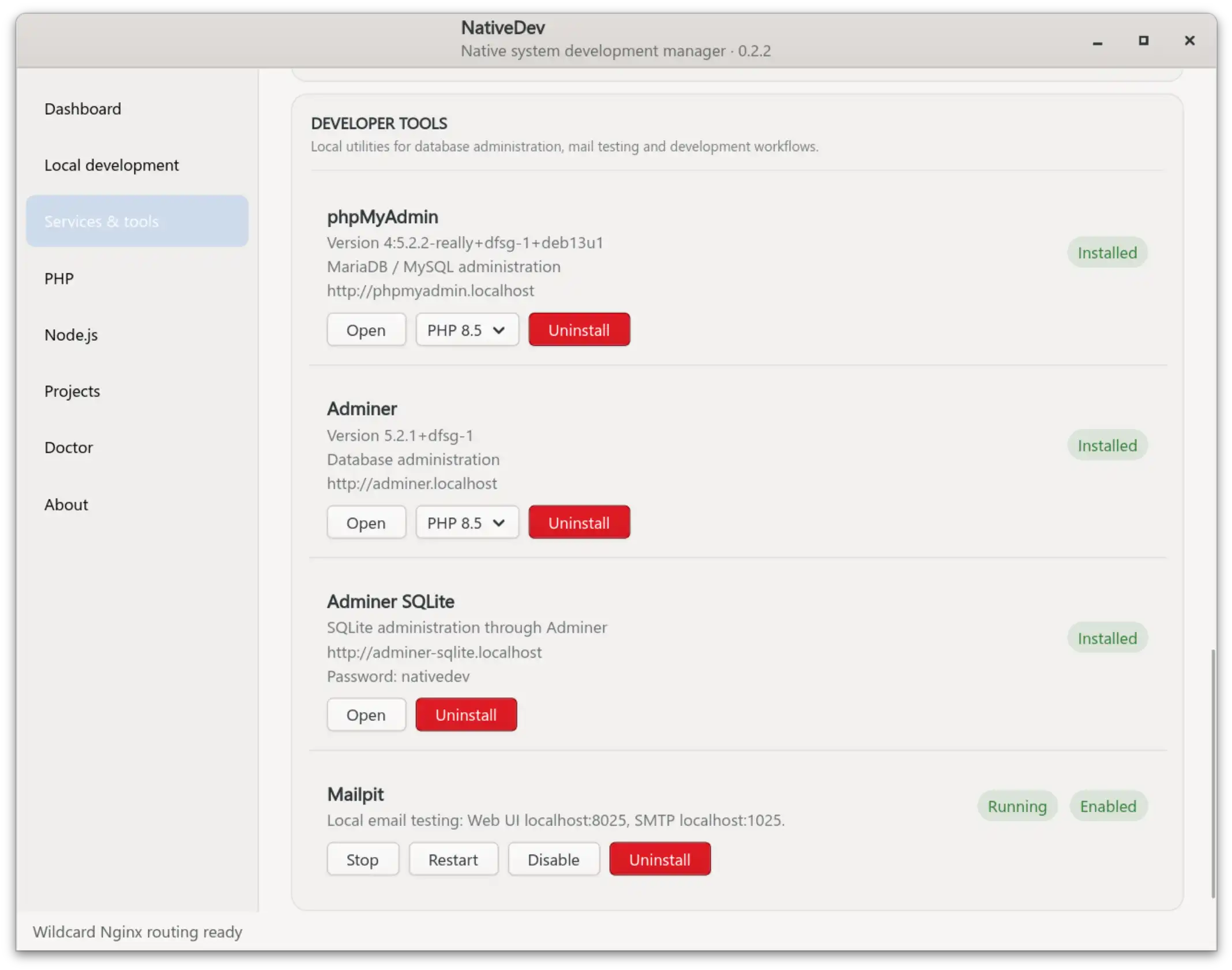
Developer tools are persistent web-based utilities — phpMyAdmin and Adminer are the built-in examples — that NativeDev exposes on their own *.localhost addresses, separate from the project-based *.test routing described in Local development.
How they differ from projects
- Developer tools are configured in
/etc/nginx/conf.d/nativedev-tools.conf, a file that is independent of your configured park directory or Local TLD. Changing those settings does not affect developer-tool routing. - Each tool is bound to a specific PHP-FPM version rather than to a project. That binding is read dynamically each time NativeDev renders the tools' Nginx configuration or reports tool status, so it reflects whichever PHP versions are actually installed at that moment.
- If a tool's PHP-FPM version is no longer installed, the tool's server block is omitted from the rendered configuration rather than pointing at a socket that no longer exists.
Selecting a PHP version per tool
Each developer tool has its own PHP-FPM version selector, independent of the system-wide CLI default and independent of any individual project's PHP dropdown.
Uninstalling a PHP version that a tool depends on
Before uninstalling a PHP version, NativeDev simulates the removal (apt-get -s remove) against the packages that version owns. On Debian/Ubuntu, phpMyAdmin and Adminer packages depend on generic, version-agnostic PHP packages (for example php-cli, php-mbstring) that APT itself pins to one specific concrete PHP version at the package-dependency level — independent of NativeDev's own default-version setting. Removing that concrete version can therefore make APT propose removing phpMyAdmin/Adminer as a side effect of removing PHP, not because NativeDev's own tool-to-version binding says so.
NativeDev's uninstall safety check simulates the removal and identifies any manually installed package (such as phpmyadmin or adminer) that APT would remove alongside the requested PHP packages. If one is found, the uninstall is blocked rather than silently taking phpMyAdmin/Adminer down as an unannounced side effect of removing PHP, and NativeDev reports exactly which manually installed package(s) are at risk.
This currently means: uninstalling a PHP version that no developer tool depends on proceeds normally, while uninstalling a version a tool depends on is blocked with a clear message, even if another PHP version is already installed. To remove that PHP version, uninstall the affected developer tool(s) first, or keep the version installed. Automatically re-pointing phpMyAdmin/Adminer's underlying package dependency at a different installed PHP version before uninstalling is a possible future improvement, not current behavior — see Troubleshooting for the exact message and today's workaround.
Related pages
- PHP management — installing/uninstalling PHP versions and the APT removal-impact simulation this feature also relies on
- Troubleshooting — the exact wording of the blocking message and what to do about it